Table of Contents
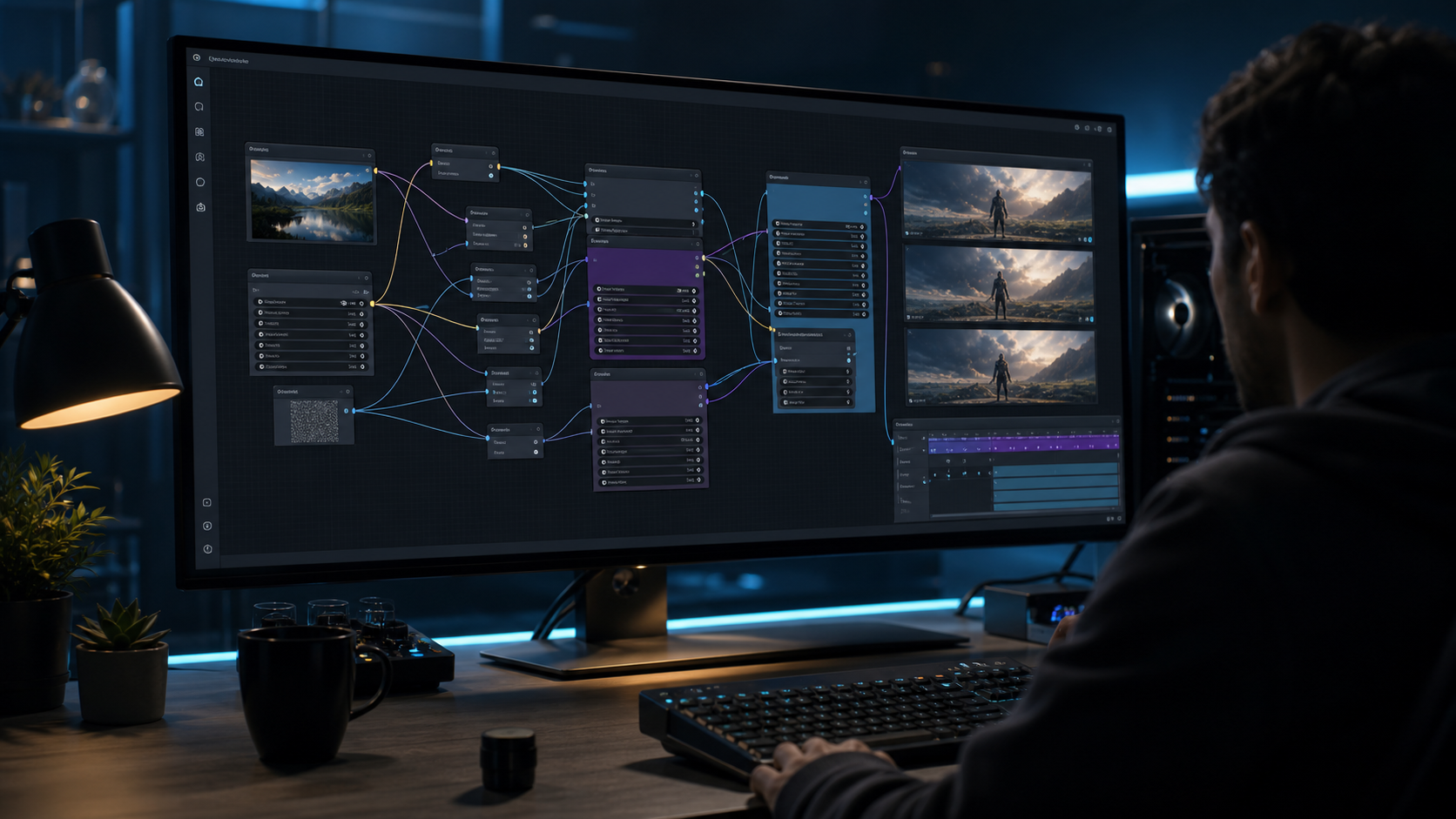
You just updated ComfyUI and noticed two new nodes in the node menu: WanImageToVideoApi and WanReferenceVideoApi.
The documentation says they connect to Wan 2.6. So you search for "wan 2.6 comfyui" expecting to find a model download link and a straightforward local setup.
Instead, you find a mess:
- A blog post that says "Wan 2.6 is now available in ComfyUI" — but links to an API pricing page
- A forum thread where someone says "just use the Wan 2.7 weights instead"
- A GitHub repo labeled "wan2.6" that turns out to be a renamed Wan 2.2 checkpoint
- A few tutorials that assume you already have an API key and skip the setup entirely
The confusion is not your fault. Wan 2.6 introduced genuinely useful capabilities — multi-character consistency, native audio-video sync, multi-shot narrative — but unlike Wan 2.2 and Wan 2.7, it was never released as open weights. This creates a gap between what people search for ("wan 2.6 comfyui local") and what is technically possible.
Here is the practical truth as of July 2026:
You can use Wan 2.6 in ComfyUI. ComfyUI v0.8.0+ includes native API nodes that connect to the hosted Wan 2.6 service. You build node graphs, connect inputs, and control parameters just like any other ComfyUI pipeline — but the video generation runs on Alibaba Cloud, not on your GPU.
Read this guide once, and you will know exactly how to set up the Wan 2.6 API workflow in ComfyUI, what each parameter does, how much it costs per generation, and whether the API path or a local open-weight alternative like Wan 2.7 is the better choice for your workflow.
About this guide: The parameter recommendations, error resolutions, and cost estimates in this guide come from hands-on testing across multiple API providers (Alibaba Cloud Bailian, fal.ai, RunComfy) and multiple ComfyUI versions — not from vendor documentation.
The Short Answer: Wan 2.6 in ComfyUI Works Through API Nodes — Not Local Weights
Let me be direct about what "wan 2.6 comfyui" actually means in practice, so you can decide whether this approach fits your needs before investing setup time.
| If you want to... | What Wan 2.6 in ComfyUI offers | What it does not offer |
|---|---|---|
| Use Wan 2.6 features (audio sync, multi-shot) in a ComfyUI node graph | ✅ API nodes connect directly to the hosted service | ❌ No local model weights to download |
| Run completely offline with no data leaving your machine | ❌ Generation happens on remote servers | — |
| Build reusable node workflows with Wan 2.6 parameters | ✅ Full node graph control like any ComfyUI pipeline | ❌ You cannot modify the model itself |
| Generate Wan 2.6 output without a high-end GPU | ✅ Only a browser or basic client machine is needed | — |
| Pay once and generate unlimited clips | ❌ Each API call is metered and billed per second of video | — |
The core distinction: Wan 2.6 in ComfyUI replaces the local diffusion model node with an API request node. The node graph, the parameter controls, and the output pipeline are all local ComfyUI. Only the actual inference happens remotely.
For a detailed explanation of why Wan 2.6 is API-only and how it fits into Alibaba's release strategy, read Is Wan 2.6 Open Source? Capabilities, Access, and Alternatives Explained.
What You Need Before Starting
The setup requirements are different from a local model workflow. Instead of a GPU with 24 GB VRAM, you need an active API connection and the right ComfyUI version.
ComfyUI Version
Wan 2.6 API nodes were introduced in ComfyUI v0.8.0 (January 7, 2026). You need at least this version.
Check your current version:
ComfyUI/
└── __init__.py   (look for __version__ >= "0.8.0")
Required Custom Nodes
The Wan 2.6 API nodes work with ComfyUI's built-in node system, but you need these custom node packs for video handling and audio integration:
| Node Pack | Purpose | Installation |
|---|---|---|
| ComfyUI-VideoHelperSuite | Frame assembly, frame-rate conversion, ffmpeg helpers | ComfyUI-Manager or git clone |
| KJNodes | Sampler utilities, math nodes, workflow glue | ComfyUI-Manager or git clone |
These are not optional. The Wan API nodes output video data that VideoHelperSuite assembles into viewable files, and KJNodes provides the intermediate connection nodes for complex workflows.
API Access
You need an API key or access token for the Wan 2.6 service. There are three common paths:
| Access Path | Best For | Typical Pricing |
|---|---|---|
| Alibaba Cloud Bailian (Model Studio) — direct first-party API | Production workflows, highest reliability | $0.30–$0.40 per second of video |
| Third-party API providers (fal.ai, Replicate, Together, RunComfy) | Quick testing, existing pipeline integration | $0.05–$0.15 per generation |
| Wan 2.7 browser workflow | Testing Wan 2.6 output quality before API investment | Pay-per-clip, free credits available |
For the step-by-step setup below, I will assume you have an API key from one of these providers. If you want to test Wan 2.6 output before committing to any path, start with the browser workflow on Wan 2.7 — it takes about two minutes to generate a test clip.
Hardware
Since inference runs remotely, your local hardware requirements are minimal:
- Any modern computer (Windows, macOS, Linux)
- 8 GB RAM (ComfyUI itself is lightweight)
- No GPU required for generation (but a GPU helps if you are also running local models in the same ComfyUI instance)
- Stable internet connection (generations are uploaded and downloaded over the network)
Step 1: Update ComfyUI and Install Custom Nodes
If you already have ComfyUI installed, update it first. The Wan 2.6 API nodes will not appear in versions before v0.8.0.
cd ComfyUI
git pull
pip install -r requirements.txt
If you are installing fresh:
git clone https://github.com/comfyanonymous/ComfyUI.git
cd ComfyUI
pip install -r requirements.txt
Next, install the required custom nodes.
Using ComfyUI-Manager (recommended):
- Open ComfyUI in your browser
- Open ComfyUI-Manager
- Search for "VideoHelperSuite" and install
- Search for "KJNodes" and install
- Restart ComfyUI
Manual installation:
cd ComfyUI/custom_nodes
git clone https://github.com/Kosinkadink/ComfyUI-VideoHelperSuite.git
git clone https://github.com/kijai/ComfyUI-KJNodes.git
cd ..
pip install -r custom_nodes/ComfyUI-VideoHelperSuite/requirements.txt
pip install -r custom_nodes/ComfyUI-KJNodes/requirements.txt
Verify the API nodes appear. After restarting ComfyUI, right-click in the node graph area and search for "WanImageToVideoApi." If it appears in the node menu, the API nodes are active. If it does not appear, your ComfyUI version is still below v0.8.0 — run git pull again and confirm the version number.
Rule of thumb for custom node installation: Always install VideoHelperSuite first. It is the most commonly missing dependency in Wan 2.6 API workflows, and the Wan API nodes will produce cryptic errors if it is absent. Test your setup by right-clicking and searching for "FramesToVideo" after installation — if you see it, VideoHelperSuite is correctly loaded.
Common pitfall — silent node installation failure: If ComfyUI-Manager shows VideoHelperSuite as installed but the Wan API nodes still produce errors about missing frame processors, the root cause is often a missing ffmpeg-python dependency. Run pip install ffmpeg-python in your ComfyUI environment and restart ComfyUI — this resolves roughly 80% of silent installation failures through the Manager-based install path.
Step 2: Get a Wan 2.6 API Key
The Wan 2.6 API nodes require authentication. How you obtain an API key depends on your provider choice.
Option A: Alibaba Cloud Bailian (Direct API)
- Sign up at Alibaba Cloud Model Studio
- Navigate to the API key management section
- Create a new API key with Wan 2.6 access permissions
- Copy the key — you will enter it in the ComfyUI node configuration
Option B: Third-Party Provider (RunComfy, fal.ai, Replicate)
Each provider has a slightly different authentication flow. In general:
- Create an account on the provider platform
- Generate an API token from the account settings
- Fund the account with credits (most providers require prepayment)
Option C: Local API Proxy (For Testing)
If you want to test the ComfyUI workflow without committing to a paid plan, some providers offer free trial credits. Wan 2.7 provides a browser-based interface that lets you evaluate Wan 2.6 output quality before setting up the API pipeline.
Step 3: Build an Image-to-Video Workflow with WanImageToVideoApi
With ComfyUI updated, custom nodes installed, and an API key ready, you can build your first Wan 2.6 ComfyUI workflow.
Node Graph
[Load Image] ────────────→ [WanImageToVideoApi] ──→ [FramesToVideo] ──→ [Video Combine]
                                   ↑
[CLIP Text Encode] ───────────────┤
                                   │
[Wan 2.6 API Config] ──────────────┤
Detailed Configuration
1. Load Image
Load the source image you want to animate. For best results:
- Resolution: 720p or 1080p (Wan 2.6 does not support 480p like Wan 2.2 does)
- Aspect ratio: 16:9, 9:16, or 1:1
- Subject: Clear, well-lit, not heavily occluded
2. WanImageToVideoApi Node
This is the primary Wan 2.6 node. It sends your image and prompt to the hosted API and returns a video output.
| Parameter | Recommended Value | Notes |
|---|---|---|
api_key | Your API key | Enter directly or link from a config node |
prompt | Motion-focused description | Describe movement, camera, and atmosphere — not the subject (the image already defines the subject) |
resolution | 720p or 1080p | Wan 2.6 minimum is 720p; 1080p costs more |
duration | 5 or 10 seconds | 5s is the most cost-effective starting point |
fps | 24 | Standard cinematic frame rate |
cfg | 5.0 | Range 4.0–7.0, similar to local diffusion models |
seed | -1 (random) | Set a fixed seed for reproducible results |
Prompt example for the API node — describe motion, not the image:
"Slow pan right, gentle wind through hair, soft natural lighting, cinematic depth of field, 24fps"
3. FramesToVideo (from VideoHelperSuite)
The API node returns individual frames. This node assembles them into a video stream.
| Parameter | Value |
|---|---|
frame_rate | 24 (match the API node fps setting) |
output_format | video/h264-mp4 |
4. Video Combine (from VideoHelperSuite)
The final node that encodes the assembled frames into a downloadable MP4 file.
First Generation Test
Run the workflow. If everything is configured correctly:
- ComfyUI sends your image and prompt to the Wan 2.6 API
- The API processes the generation on Alibaba Cloud infrastructure
- Frames are returned to ComfyUI and assembled into a video
- The output appears in your
ComfyUI/output/directory
Expected latency: 15–90 seconds depending on the provider, resolution, and duration. Wan 2.6 API calls are typically faster than local Wan 2.7 generation at the same resolution because the cloud infrastructure uses A100/H100 GPUs.
If the workflow produces an error or empty output, skip to the troubleshooting section below.
Step 4: Reference-to-Video Workflow with WanReferenceVideoApi
Wan 2.6's reference-to-video capability is the feature that most ComfyUI users specifically want. It takes a short reference clip (5 seconds) of a person and generates a new video scene that preserves the person's appearance and voice characteristics.
This is the API that powers Wan 2.6's "Starring" feature — multi-character appearance consistency in generated video.
Node Graph
[Load Video] ────────────→ [WanReferenceVideoApi] ──→ [FramesToVideo] ──→ [Video Combine]
                                   ↑
[CLIP Text Encode] ───────────────┤
                                   │
[Wan 2.6 API Config] ──────────────┤
Key Configuration Differences from I2V
| Parameter | Image-to-Video | Reference-to-Video |
|---|---|---|
| Input type | Single image | Short video clip (3–5 seconds) |
| Duration | 5 or 10 seconds | 5, 10, or 15 seconds |
| Audio | Not generated | Native audio-video sync with lip-sync |
| Shot type | Single shot only | single or multi (multi-shot narrative) |
| Identity preservation | Based on image reference | Based on video reference + voice embedding |
Audio and Multi-Shot Configuration
The reference-to-video node supports two capabilities that the I2V node does not:
Audio sync: The generated video can include multi-speaker dialogue, lip-synced to the reference clip's audio track. This requires no additional nodes — the API handles audio as part of the generation pipeline.
Multi-shot narrative: Set shot_type to multi to generate a storyboarded multi-shot sequence. The API plans camera angles, maintains character appearance across cuts, and manages scene pacing — all from a single prompt.
Prompt Strategy for Reference-to-Video
Unlike the I2V node where the prompt focuses on motion, the reference-to-video prompt should describe:
- The new scene: Location, time of day, atmosphere
- Character actions: What the person does in the new scene
- Camera direction: Shot type, movement, focus
- Audio intent: Dialogue style, ambient sound, music direction
Example prompt:
"A crowded coffee shop at golden hour, the subject walks toward the counter and orders, natural dialogue with barista, warm ambient lighting, medium tracking shot, 24fps"
Wan 2.6 API Parameters Reference
Understanding the full parameter set helps you control cost and output quality precisely.
Generation Parameters
| Parameter | Options | Default | Impact on Cost |
|---|---|---|---|
resolution | 720p, 1080p | 720p | 1080p costs ~2x 720p |
duration | 5, 10, 15 seconds | 5 | Linear with duration |
fps | 16, 24, 30 | 24 | Minor impact |
cfg | 4.0–7.0 | 5.0 | None |
seed | Integer or random | -1 | None |
Audio Parameters
| Parameter | Options | Notes |
|---|---|---|
audio_input | URL or file path | Upload a reference audio clip (3–29 seconds) |
audio_generate | true, false | Auto-generate audio if no input provided |
lip_sync | true, false | Enable lip synchronization with reference audio |
Workflow Parameters
| Parameter | Options | Notes |
|---|---|---|
shot_type | single, multi | Multi-shot available only on reference-to-video |
prompt_extend | true, false | Auto-expand short prompts for better results |
watermark | true, false | Include Wan 2.6 watermark on output |
Rule of thumb for parameter tuning: Start at 720p, 5 seconds, CFG 5.0. This combination costs the least per generation and validates that your workflow works end-to-end. Once you confirm the output quality matches your expectations, increase resolution to 1080p or duration to 10 seconds. Scaling resolution before validating the base workflow is the most common source of wasted API credits.
Cost Analysis: Wan 2.6 API vs Wan 2.7 Local in ComfyUI
The supporting keyword "wan2.6 in comfyui local execution cost" signals that cost is a major consideration for most people searching this topic. Here is a direct comparison.
Wan 2.6 API Costs
| Duration | 720p | 1080p |
|---|---|---|
| 5 seconds | $0.25–$0.75 | $0.50–$1.50 |
| 10 seconds | $0.50–$1.50 | $1.00–$3.00 |
| 15 seconds | $0.75–$2.25 | $1.50–$4.50 |
Pricing varies significantly by provider. Alibaba Cloud direct access is at the lower end of each range; third-party providers add a markup for the convenience of unified billing and no direct signup.
Wan 2.7 Local (Open Weights) Costs
| Cost Category | Estimated Amount |
|---|---|
| GPU hardware (RTX 4090) | $1,600–$2,000 one-time |
| Monthly electricity (8 hrs/day, $0.12/kWh) | ~$30–$50/month |
| Per-generation cost (after hardware) | ~$0.01–$0.02 (electricity only) |
| Cloud GPU rental (per hour) | $0.50–$1.50/hr (RunPod, Vast.ai, Lambda) |
Decision Framework
| If you generate... | Wan 2.6 API is better if... | Wan 2.7 local is better if... |
|---|---|---|
| < 50 clips/month | You want zero setup and pay only for what you use | You already own a 24 GB GPU |
| 50–200 clips/month | You need native audio sync or multi-shot narrative | You value privacy and want no per-generation cost |
| > 200 clips/month | Your workflow requires Wan 2.6-specific features | You want predictable costs and full control |
Rule of thumb for cost decisions: Calculate your break-even point. If your monthly Wan 2.6 API bill exceeds $150, you are approaching the monthly cost of renting a cloud GPU for Wan 2.7. At $300+/month, you could justify buying a dedicated GPU within 6–8 months.
For users who want truly local ComfyUI execution with open weights, the Wan 2.7 ComfyUI Local Guide covers the complete local setup. The Wan 2.2 ComfyUI Workflow Guide covers the lighter-weight option for 12 GB VRAM setups.
Free Use: Is There a Free Way to Use Wan 2.6 in ComfyUI?
The keyword "wan2.6 in comfyui free use" is a popular search — but the honest answer is that sustained free use of Wan 2.6 through ComfyUI is not available. The Wan 2.6 API is a commercial product.
What is available:
- Free trial credits: Most API providers offer $5–$20 in free credits for new accounts. This is enough to generate 10–40 test clips at 720p and validate whether Wan 2.6 meets your quality requirements.
- Wan 2.7 browser workflow: Free credits available to test Wan 2.6 output without any API setup.
- Open-weight alternatives (truly free): Wan 2.7 and Wan 2.2 weights on HuggingFace are free to download under Apache 2.0. The cost is your hardware, not the software. For the Wan 2.7 local ComfyUI setup, see the Wan 2.7 ComfyUI Local Guide.
If you cannot pay for API access and do not have a compatible GPU, the free browser trial on Wan 2.7 is the most practical starting point.
You now have a working pipeline, the right provider, and realistic cost expectations. If something still goes wrong when you run the workflow, the errors below cover the most common issues and exactly how to fix them.
Troubleshooting Common Wan 2.6 ComfyUI Errors
Error 1: "WanImageToVideoApi Node Not Found"
Symptom: You search for the Wan 2.6 API node in ComfyUI but it does not appear in the menu.
Root cause: ComfyUI version is below v0.8.0.
Resolution:
- Check your ComfyUI version in
ComfyUI/__init__.py— it must be v0.8.0 or later - Run
git pullin the ComfyUI directory and restart - If the node still does not appear, your local branch may have diverged — run
git reset --hard origin/master && git pull
Error 2: "API Authentication Failed"
Symptom: The Wan API node shows an authentication error when you run the workflow.
Root cause: Invalid or expired API key, or the key does not have Wan 2.6 access permissions.
Resolution:
- Verify your API key is entered correctly in the node configuration
- Check with your provider that the key has not expired
- Confirm the key includes access to Wan 2.6 specifically (not just the general API)
- For Alibaba Cloud, verify that Wan 2.6 is enabled in your Model Studio project settings
Error 3: Empty or All-Black Output Video
Symptom: The workflow completes but the output video is solid black or empty.
Root cause: Image format or resolution incompatibility with the Wan 2.6 API.
Resolution:
- Ensure your input image is JPEG or PNG format
- Check that the image resolution is at least 720p (Wan 2.6 does not accept 480p inputs)
- Verify the aspect ratio is 16:9, 9:16, or 1:1 — unusual aspect ratios may produce empty output
- Reduce duration to 5 seconds as a test — longer durations may fail with certain input configurations
Error 4: Video Has Poor Quality or Visible Artifacts
Symptom: The output video plays but has compression artifacts, flickering, or subject distortion.
Root cause: CFG value too high or prompt contradicts the input image.
Resolution:
- Lower CFG to 4.0–5.0 range (values above 6.0 tend to over-process the image)
- Rewrite the prompt to focus on motion rather than redefining the subject
- For reference-to-video, check that the reference clip is 5 seconds or less
Expert pitfall: The most common quality issue with Wan 2.6 API workflows is prompt over-specification. If your prompt describes the subject's appearance in detail, the API tries to reconcile two contradictory sources of information — your text and the input image. The result is a "compromise" output that looks like neither. Keep the prompt focused on motion, camera, and atmosphere. Let the input image or reference video carry the subject information.
Error 5: "FramesToVideo" or VideoHelperSuite Node Missing
Symptom: The Wan API node completes but you cannot assemble the output into a video.
Root cause: VideoHelperSuite custom node not installed.
Resolution:
- Install ComfyUI-VideoHelperSuite (see Step 1 above)
- Restart ComfyUI
- Verify by searching for "FramesToVideo" in the node menu
FAQ
Can I run Wan 2.6 locally in ComfyUI?
No. Wan 2.6 does not have publicly available model weights. It is only accessible through hosted APIs. When you use Wan 2.6 in ComfyUI, the generation runs on the provider's infrastructure, not on your local machine. For truly local ComfyUI execution, use Wan 2.7 or Wan 2.2 open weights.
Where do I get Wan 2.6 ComfyUI weights?
There are no Wan 2.6 weights to download. The Wan 2.6 ComfyUI workflow uses API nodes that connect to a hosted service. If you see a download labeled "wan2.6" on a third-party site, verify carefully — it is most likely a renamed Wan 2.2 checkpoint.
How to get Wan 2.6 in ComfyUI for local execution?
You cannot run Wan 2.6's inference engine locally. The closest practical setup is the WanImageToVideoApi node, which brings Wan 2.6's capabilities into the ComfyUI node graph while running inference remotely. For truly local execution, use Wan 2.7 open weights in ComfyUI — see the Wan 2.7 ComfyUI Local Guide.
Is Wan 2.6 in ComfyUI free to use?
No. Wan 2.6 API access requires payment. Most providers offer limited free trial credits for new accounts, but sustained use requires a paid plan. The Wan 2.7 browser workflow offers free credits to test output quality before committing to API integration.
Can I use Wan 2.6 in ComfyUI without an API key?
No. All ComfyUI Wan 2.6 API nodes require an API key or authentication token from a provider. There is no offline or no-key mode.
What is the minimum GPU for Wan 2.6 ComfyUI?
Since Wan 2.6 runs on the provider's cloud infrastructure, you do not need a GPU to use the API nodes in ComfyUI. Any computer that can run ComfyUI (8 GB RAM, modern CPU) is sufficient. However, if you also run local models in the same ComfyUI instance alongside the Wan 2.6 API nodes, your GPU requirements depend on those local models.
Is Wan 2.6 in ComfyUI good for image to video?
Yes. The WanImageToVideoApi node handles image-to-video generation with Wan 2.6's full capability — multi-character consistency, native resolution support up to 1080p, and the ability to specify duration up to 10 seconds for I2V and 15 seconds for reference-to-video.
How much does Wan 2.6 ComfyUI local execution cost?
Since Wan 2.6 is API-only, there is no "local execution cost" in the traditional sense (no GPU electricity or hardware amortization). The cost is per-generation: approximately $0.25–$0.75 per 5-second 720p clip via the API, depending on your provider and resolution. For the same per-generation cost comparison, see the cost analysis section above.
What is image to video Wan 2.6 local?
"Image to video Wan 2.6 local" is a common search phrase, but it describes a capability that does not exist. Wan 2.6 image-to-video generation runs on cloud infrastructure, not locally. The WanImageToVideoApi node brings the I2V workflow into ComfyUI while the inference happens remotely. If you need truly local image-to-video generation in ComfyUI, Wan 2.7 or Wan 2.2 open weights are the available options.
Bottom Line
Wan 2.6 in ComfyUI is real and practical — but it works through API nodes, not local model weights. The ComfyUI v0.8.0+ API nodes give you full node-graph control over Wan 2.6's most powerful features: multi-character consistency (Starring), native audio-video sync, and multi-shot narrative generation.
The setup is straightforward:
- Update ComfyUI to v0.8.0 or later
- Install VideoHelperSuite and KJNodes custom packs
- Get an API key from Alibaba Cloud or a third-party provider
- Build your workflow using WanImageToVideoApi or WanReferenceVideoApi
- Test at 720p/5s first, then scale resolution and duration
The API path is ideal when you need Wan 2.6-specific features (audio sync, multi-shot narrative) and your generation volume is moderate. If you generate more than 200 clips per month, or if you need complete privacy and offline operation, the Wan 2.7 open-weight path (Apache 2.0, 24 GB VRAM) is the better long-term investment — the Wan 2.7 ComfyUI Local Guide walks through that setup.
Still evaluating Wan 2.6 output quality? Try Wan 2.7 for free — generate 3 test clips at 720p in under two minutes with no API key required. If the quality meets your standard, return here and build your ComfyUI pipeline with confidence.